
Character Anchor Kit
See the kit in action.
Watch the 40-second walkthrough: follow the guide, define Mara Vale in the editable worksheets and review a scene in the continuity tracker.
Mara Vale is a fictional worked example. Character images and review scores are illustrative. The kit files are in English.
Read the walkthrough transcript
- 0–4s
Does your AI character keep changing? The Character Anchor Kit helps you organise consistency.
- 4–8s
Start with one clear reference. Mara Vale is the fictional character in this worked example.
- 8–13s
Follow the ANCHOR workflow. The practical guide shows the process, step by step.
- 13–21s
Use the editable worksheets to record the details you want to preserve, including hair, skin tone, build and signature marker.
- 21–29s
Score each scene in the continuity tracker. This sample draft has an overall score of 4.0 and a REPAIR gate. The sample revision scores 4.8 and receives APPROVE. These are illustrative review scores.
- 29–35s
Use approved references and review every new scene. The Mara Vale images illustrate a character across different settings.
- 35–40s
Get the complete Character Anchor Kit: PDF guide, editable DOCX and XLSX tracker. US$12 once at anchorarcstudio.com. Digital download, files in English, commercial use.
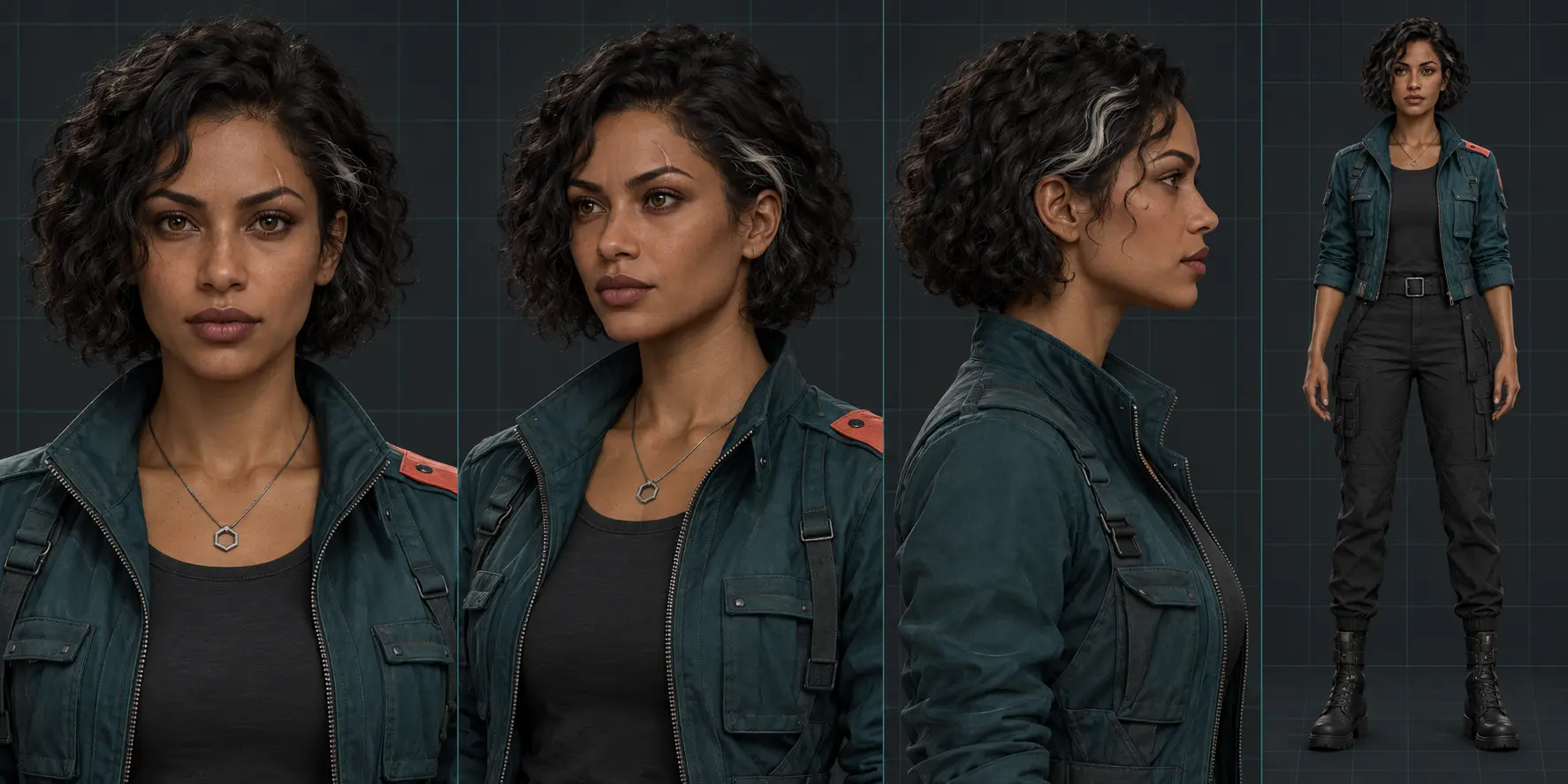
01 · Define the reference
Start with one approved identity.
Document recognisable features such as the curly bob, silver hair streak, jacket and pendant before planning new scenes.
02 · Spot the drift
Notice what changes without a clear anchor.
Compare the face, hair, wardrobe and signature details across these illustrative generations.

03 · Reuse the visual anchors
Let the scene change around the character.
Use the same reference and character decisions while varying the setting, pose and lighting. Review the output before approving it.

Illustrative demonstration, not a guaranteed result. Consistency depends on your AI model, reference material and production choices.